VerseTap AI Sermon Note-taker

Notes that know their Scriptures.

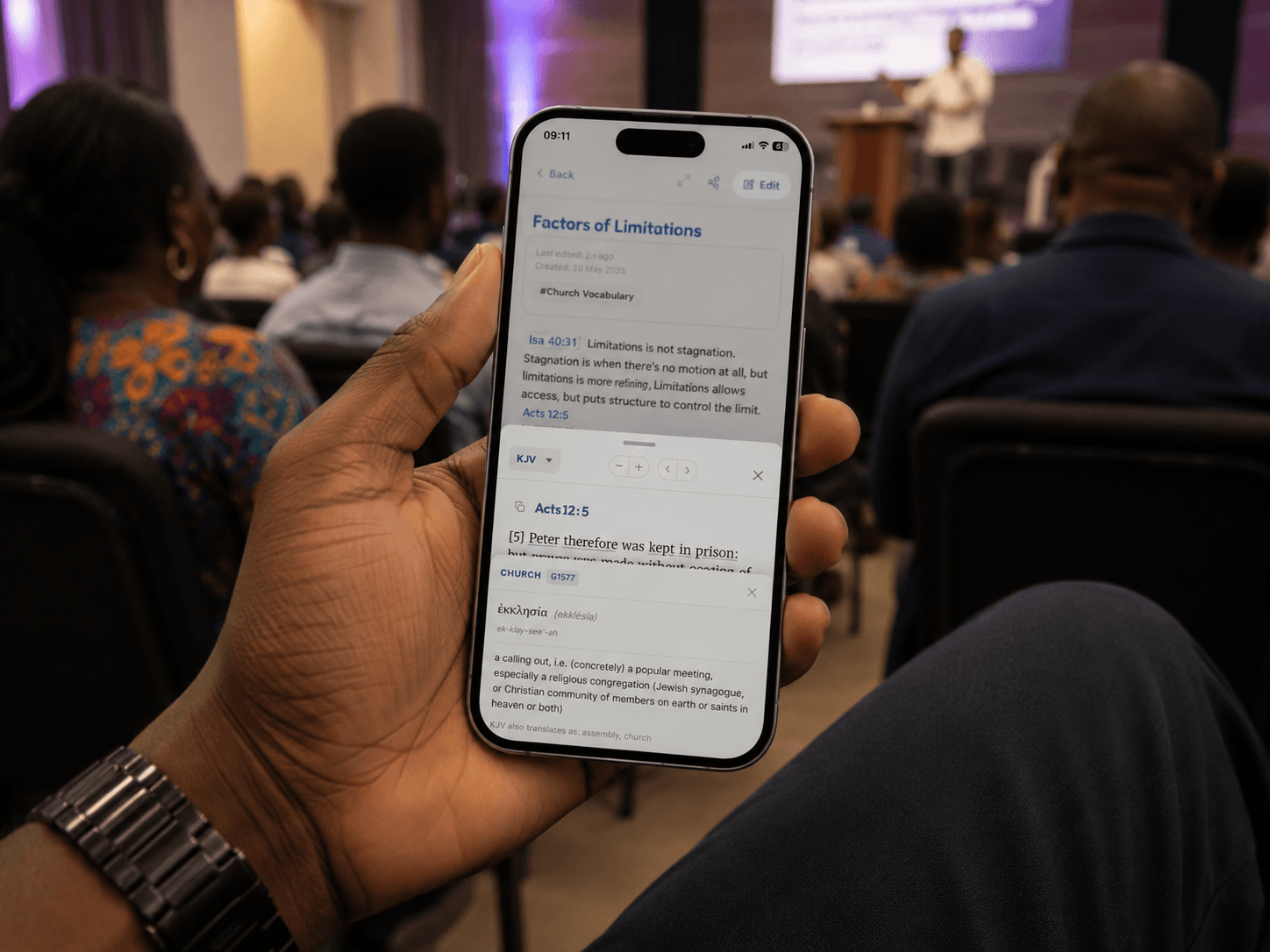
VerseTap AI Sermon Note-taker lets you write sermon notes freely. Switch to reading, and every Bible citation - exact or abbreviated - is already linked to its full passage. No app switching. No internet needed. No notes leaving your device.

Sermon Note — Phil. 4 Series

"Paul writes of a peace that passes all understanding — Philippians 4:7 — as the result of presenting everything to God in prayer."

Detected
Philippians 4:7 · KJV

"And the peace of God, which passeth all understanding, shall keep your hearts and minds through Christ Jesus."

1,000+ Downloads
45+ Countries
100% Works offline

Available on Android, iOS, and the web. Completely free.

The Problem

Sermon time. Bible open. Notes flying. Something's always in the way.

You know the moment. A scripture comes up mid-sermon. You reach for your Bible. You lose the thread. Your notes are full of references you meant to revisit — and never did.

Sound familiar?

I wrote the reference. Didn't look it up. Meant to come back to it. Never did. Three months of sermons — verse numbers and blank space.

A struggle shared across thousands of fellowships

Constant app-switching

Every scripture reference pulls you out of your notes. The thought fades before you're back.

Problem 01

Notes without the passage

You wrote the reference. You never looked it up. The sermon's richness slips away quietly.

Problem 02

Apps that fail offline

Rural fellowships. Mission camps. Bad Wi-Fi. Your tools vanish exactly when focus matters most.

Problem 03

The scripture that got away

You heard something profound. Didn't catch the reference. Gone, unless your notes were smart enough to find it.

Problem 04

VerseTap was built to remove all four.

How It Works

How the VerseTap AI Sermon Note-taker finds every verse instantly.

Take your notes without stopping. When you switch to reading mode, VerseTap scans your note, finds every scripture reference — exact or approximate — and surfaces the full passage inline. No command. No copy-paste. Just your notes, complete.

Exact detection

Write "Romans 8:28" in your notes. Switch to read — it's linked to the full passage. Every time.

Semantic detection

Write "the valley of the shadow of death" in your notes. In read mode, VerseTap finds Psalm 23:4 by meaning, not reference.

Sermon Note — Sunday June 29  ·  Reading

"Spoke on unshakeable peace — Paul's declaration from Philippians 4:7 that passes all understanding..."

Philippians 4:7 · KJV Exact match

"And the peace of God, which passeth all understanding, shall keep your hearts and minds through Christ Jesus."

"...also the peace that stands guard, like a sentinel at the gate of the heart."

"peace that stands guard" Semantic

Philippians 4:7 · KJV — "And the peace of God, which passeth all understanding..."

Built for Serious Students

Everything the Word demands. Built in.

124,408 Verses

Four translations. All offline.

KJV, ASV, WEB, and Young's Literal Translation, embedded directly on your device. No signal required, ever.

KJV ASV WEB YLT
α

Original-language word study

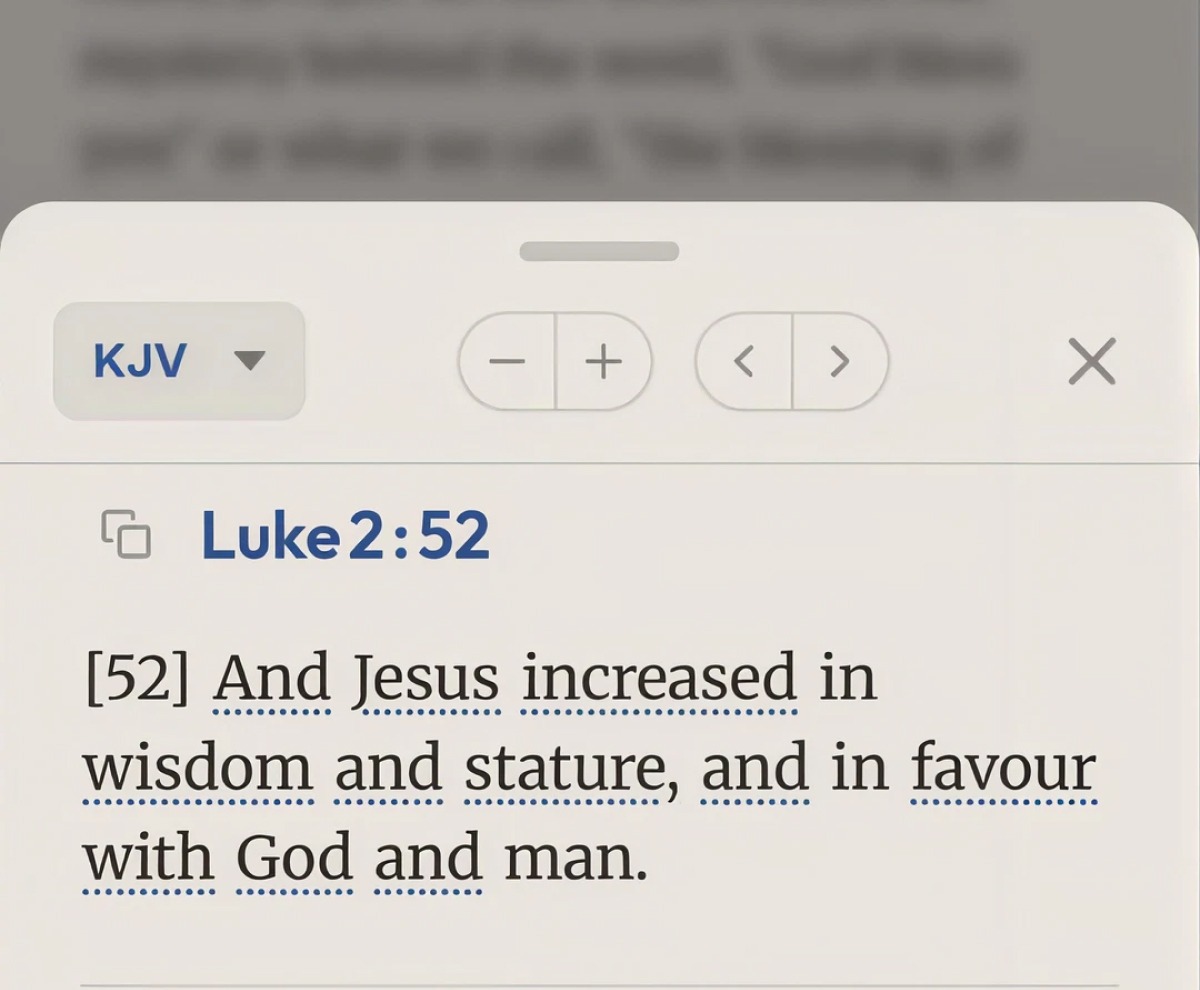
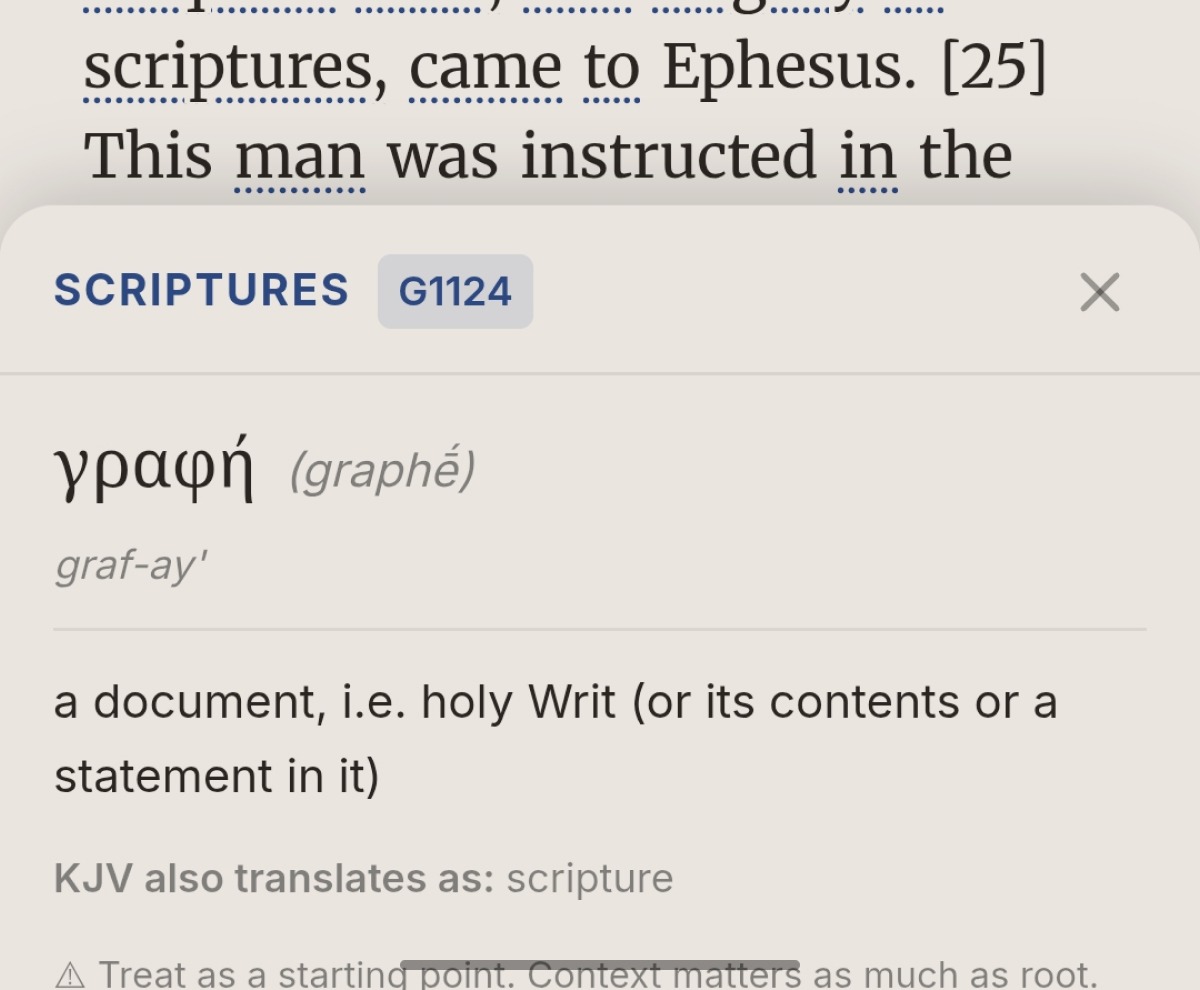
Tap any KJV word to see its Hebrew or Greek Strong's entry. 14,000+ entries. Fully offline.

Your backup. Your Drive.

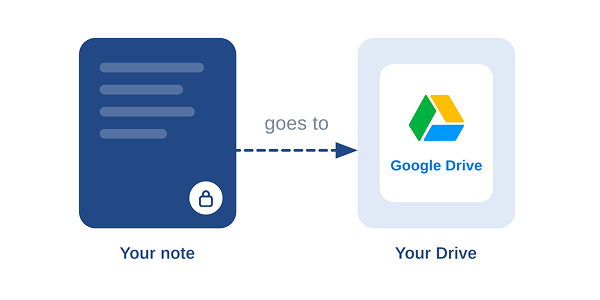
One tap. Goes to your own Google Drive. We cannot see it. You own it entirely.

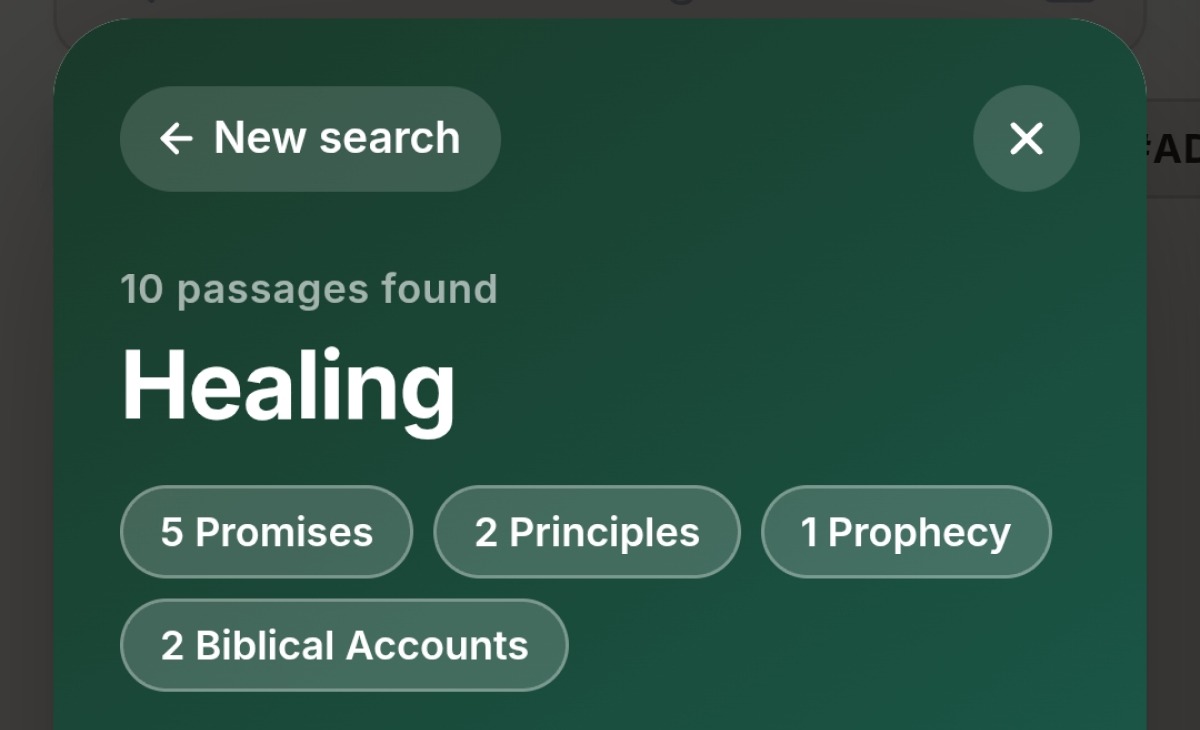
Tag, search, find anything.

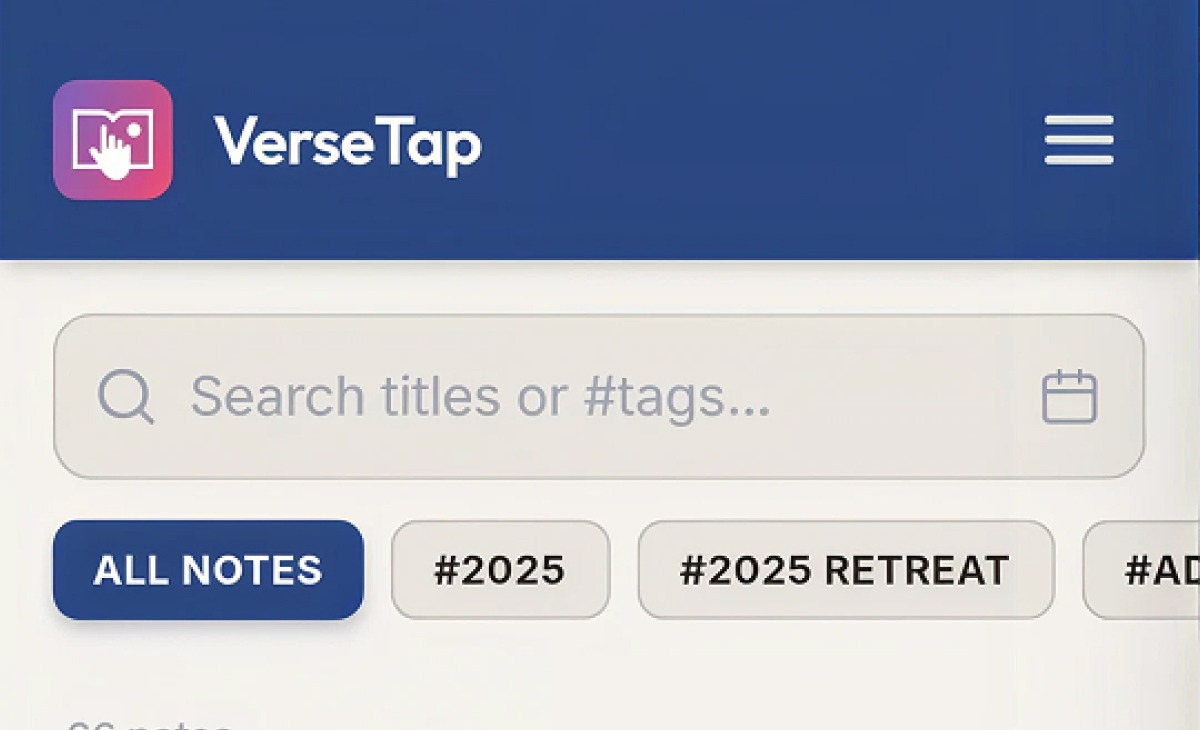
Tag by sermon series, topic, speaker, or book. Semantic search finds notes by theme even when you can't remember exact words. Build a library that grows with you for decades.

Sunday Sermon Romans Series Faith Prayer Philippians
Study Bible

Dig into the original language.
Right inside your notes.

The full Study Bible is built in. Browse any chapter, tap any KJV word to see its Hebrew or Greek Strong's entry. 14,000 lexicon entries. All offline. No subscription needed. See how the offline Bible study app concordance works in detail.

KJV word tagging Hebrew & Greek lexicon 14,197 Strong's entries Verse selection Copy to notes
Genesis 1 · KJV
1

In the beginning God created the heaven and the earth.

2

And the earth was without form, and void; and darkness was upon the face of the deep.

בָּרָא
bara‘ — H1254 · Hebrew verb

To create, shape, form. Used exclusively of divine activity. Denotes bringing something genuinely new into existence, often from nothing.

Who It's For

Wherever the Word is taught, the VerseTap AI Sermon Note-taker keeps up.

"I used to lose the thread every time I reached for a reference. Now I write and the passage appears. I haven't broken my train of thought mid-sermon in months."

Live sermon capture: type your message notes while preaching and have every reference linked instantly.

Series tagging: tag by sermon series, date, and topic. Find any message in seconds years later.

Works in any building: basement churches, open-air venues, mountain camps. 100% offline.

Start free →

"My cell group used to spend five minutes every week settling on which Bible app to use. Now everyone opens VerseTap and we're in the text together within seconds."

Shared study notes: export to PDF and share with your group after each session.

Word study built in: tap any KJV word in the Study Bible to open its Greek or Hebrew meaning — no extra apps.

Rural fellowship-ready: 124,408 verses loaded on the device. No data plan required.

Start free →

"I've tried keeping devotion journals in five different apps. VerseTap is the first one I've kept using past two weeks — because the verse just appears when I need it."

Devotion journal: build a searchable record of every passage that has spoken to you over months and years.

PIN-locked notes: keep personal reflections private with app-level PIN protection.

Auto-synced to Drive: your library backed up to your own Google Drive, not ours.

Start free →

"I haven't broken my train of thought mid-sermon in months."

Live sermon capture with instant verse detection.

Series tagging — find any sermon in seconds.

100% offline — works anywhere.

"Now everyone opens VerseTap and we're in the text together within seconds."

PDF export for sharing notes with your group.

Word study built in — Hebrew and Greek, offline.

"VerseTap is the first devotion app I've kept using past two weeks."

Devotion journal — searchable, years of notes.

PIN-locked for personal reflections.

Privacy by Architecture

Your notes never touch our servers. Not once.

Most apps store your data on their servers and call it "sync." VerseTap backs up directly from your device to your own Google Drive. The data path never goes through us. We cannot read your notes. We never could.

Zero server storage for your notes

You own all your Drive data

Works offline — no cloud required

PIN-lock for personal notes

Delete Drive data anytime from your own account

No advertising — free means free

Your device
Notes stored locally in encrypted app storage
Direct sync
Your Google Drive
Only accessible with your Google account
VerseTap servers
Your notes never arrive here

From the Community

Why pastors trust the VerseTap AI Sermon Note-taker in 45+ countries.

"I love this app. The fact that even if I missed a scripture quote it helps me find it with the search button makes it easier for me. I don't have to struggle to replay a message to get a scripture I missed. Everything about this app is GOOD and I have started recommending it to people."

DA
Damilola Adewunmi
★★★★★  Google Play

"This is one of the best Bible study apps I have discovered. Very beautiful and excellent features. God bless the developers."

IJ
Iyanu Joel Akinfajo
★★★★★  Google Play

"Oh my goodness! Lovely app, does what it says it does. Kudos to the team behind this. Incredibly fast. Woaw!"

EI
Emmanuel Ibezimakor
★★★★★  Google Play

Common Questions

Good questions about the VerseTap AI Sermon Note-taker deserve direct answers.

Yes, entirely. Every feature — offline Bible, four translations, Strong's concordance, AI verse detection, Google Drive backup, PIN lock — is free with no subscription, no trial period, and no ads. We intend to keep the core app free.
All four Bible translations (KJV, ASV, WEB, YLT) and the full Strong's concordance are stored on your device. Note-taking, scripture lookup, and the Study Bible all work with no internet connection. The only features that require a connection are Google Drive sync and AI-powered semantic verse identification.
VerseTap includes four public-domain translations, all fully offline: King James Version (KJV), American Standard Version (ASV, 1901), World English Bible (WEB), and Young's Literal Translation (YLT, 1898). That is 124,408 verses across four translations stored on your device. Curious why we chose public-domain texts over commercial translations? Read why VerseTap uses public domain Bible translations.
Your notes are stored locally on your device. When you enable Google Drive backup, they sync directly to your own Drive account — VerseTap's servers are never involved. We cannot read your notes. No note content ever leaves your device except to your own Drive.
VerseTap uses a two-layer approach. Exact references like "John 3:16" are matched instantly from the offline verse index with no internet needed. For semantic detection — where you type a phrase like "the valley of the shadow of death" — the app sends only that short phrase to our AI (Gemini) to identify the likely reference, then looks up the full text locally. Your note content is never sent anywhere.
In the Study Bible, every word in the KJV is tagged with its Hebrew or Greek Strong's entry number. Tap any underlined word to see the original language word, its transliteration, pronunciation, and definition. Over 14,000 lexicon entries covering all of Greek and Hebrew scripture. The whole system is offline — no lookup is ever made to an external service. Want the full picture? See how the offline Bible study app concordance works.
Yes. VerseTap is available on the App Store for iOS, on Google Play for Android, and as a Progressive Web App that works in any browser on any device.
Yes. Any note can be shared as plain text or exported as a PDF directly from the note viewer. The PDF includes the note title, date, tags, full content, and all detected verse passages. On Android and iOS you can share to any app using the system share sheet.