

You are in the middle of a sermon preparation. A verse comes to mind, and you switch to your Bible app to confirm it. By the time you come back to your notes, the thread of thought you were pulling has gone cold.
Or you are sitting in service. The pastor is moving fast, referencing scripture after scripture, and you are trying to type notes on your phone while manually searching for every passage he mentions. By the time you find the verse, he has moved on.
Both moments point to the same problem: most of the best apps for sermon notes people reach for were never actually built for how pastors study or how believers sit under the Word.
The best apps for sermon notes solve this without adding new problems — no subscriptions that lock your content, no servers holding your notes, no tools that only work when the internet cooperates.
This review covers the best apps for sermon notes worth considering in 2026, starting with tools built specifically for sermon and Bible study note-taking, then closing with the general apps pastors and church-goers commonly reach for out of habit.
What Separates a Great Sermon Note App from a Generic One
Not every note app is a sermon note app. Before reviewing specific tools, here are the five criteria that actually matter for pastoral work.
Offline Bible Access
Pastors prep on planes, in remote areas, through power outages. An app that requires internet to show you a Bible verse is an app you cannot depend on.
Scripture Detection
The app should understand Bible references — type “Romans 8:28” and the passage should surface instantly without leaving your notes. This is the feature that separates purpose-built tools from everything else.
Privacy
Sermon notes carry unfinished theology, personal pastoral insights, and sometimes sensitive spiritual content. That belongs to you, not to a company’s database.
Cross-Platform Availability
Your prep device and your preaching device may be different. The notes need to follow you.
Organization for Pastoral Workflows
Tagging by sermon series, searching across years of notes, organizing by topic — these are pastoral needs that generic apps were never designed to meet.
Purpose-Built Sermon Note Apps
These tools were designed with church use in mind. They deserve honest, detailed treatment.
VerseTap — Best for Offline Bible Access, Privacy, and Pastoral Organization
VerseTap is an AI sermon note-taking app built for pastors, teachers, church-goers, and serious Bible students. With 3,000+ downloads across 55+ countries, it combines a fully embedded offline Bible with AI scripture detection, study tools, and a strict privacy-first architecture. It is live on Android, the iOS App Store, and as a web app at versetap.app.
How the Scripture Detection Works
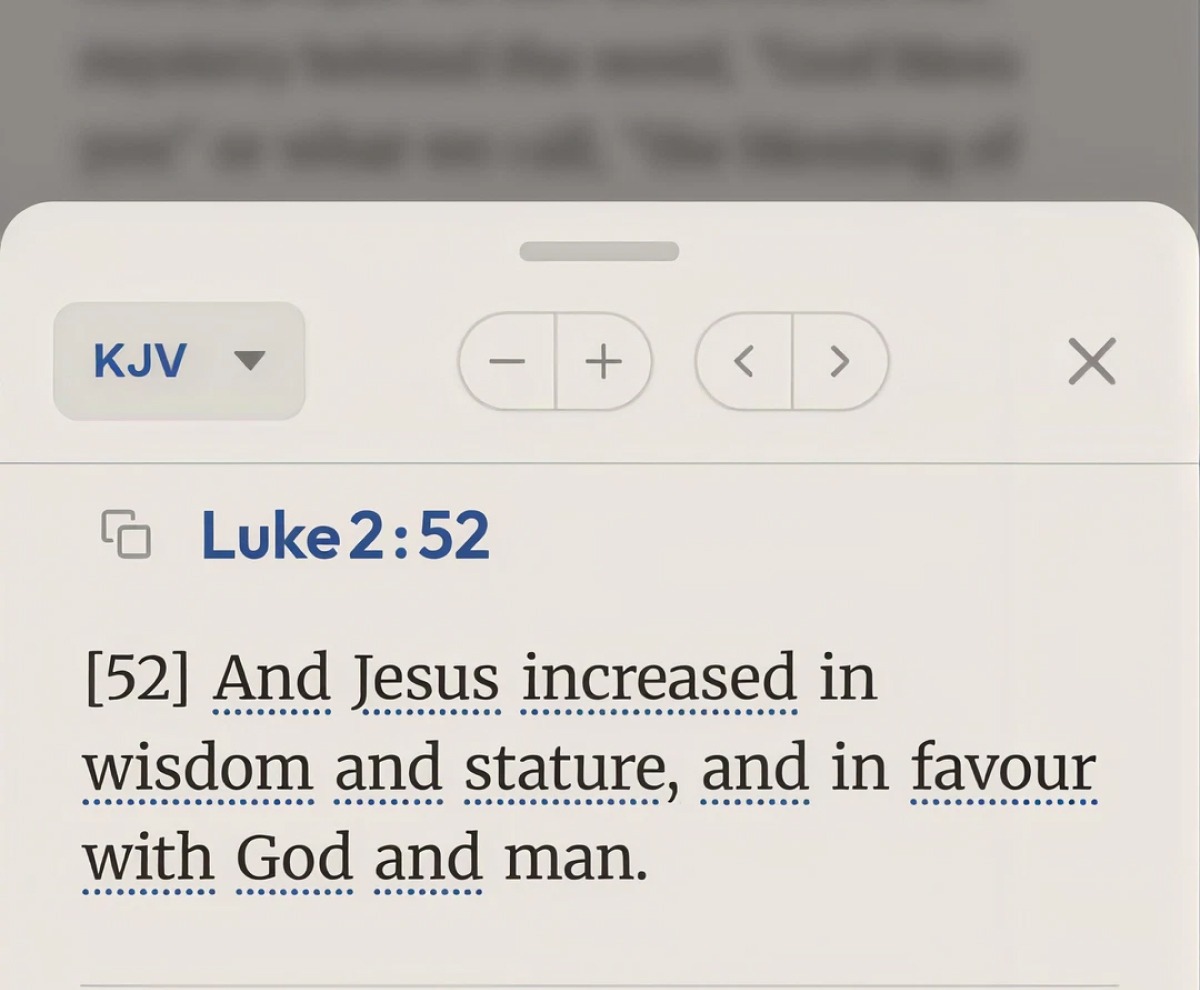
Type any reference — “John 3:16,” “Gen. 1:1,” “1 Cor. 13” — and the full passage appears in a popup inside your notes. No app switching. No internet. Type a semantic phrase like “love never fails” and VerseTap finds 1 Corinthians 13:8 through meaning, not just pattern matching.
The offline Bible covers five public domain translations: KJV, WEB, BSB, ASV, and YLT. All 155,495 verses across all five translations live on your device. No subscription required to access them, no internet required to read them. As a major update in 2026 confirmed, the entire library works offline.
Word Study and Cross-References — Built In
VerseTap ships two study tools, and both are free.
The first is a Strong’s Concordance word study with 14,197 Greek and Hebrew entries. Tap any word in a KJV passage and you see the original language term, its transliteration, pronunciation, root definition, and how it is translated across the KJV. This runs entirely offline.
The second is a cross-reference system built from the Treasury of Scripture Knowledge — 341,286 cross-references mapped across all 66 books. When you pull up a verse, tappable chips below the text take you directly to related passages. Both tools are free and work without an internet connection.
Privacy Is Structural
VerseTap collects zero user notes. Notes back up to your own Google Drive only — they are never stored on VerseTap’s servers. This is not a settings toggle. It is the architecture.
Built for Pastoral Organization and Cross-Device Access
Tag notes by series, speaker, date, and topic. Search years of sermon prep in seconds. Notes back up to Google Drive with one tap and restore on any device. VerseTap Pro users get push-on-save backup — four seconds after you stop typing, the note is on Drive. Purchase Pro on one device, link your account by email on any other, and your subscription follows you across Android, iOS, and web.
Also Built for Church-Goers and Bible Students
VerseTap is just as useful during a live service as it is during a study session. Church-goers can take notes as the sermon unfolds, with scripture passages surfacing instantly as the pastor references them — no fumbling between apps while the message is moving. Those notes stay organized and searchable afterward, making it easy to return to a passage or insight days later for deeper personal word study. For anyone serious about the Word, VerseTap becomes a running library of what God has been speaking — service by service, study by study.
Best for: Ministers and church administrators who prep offline, church-goers who take notes during live services, and Bible students who want their insights organized, searchable, and accessible across every device they own.
Limitation: Audio recording is not yet available.
Pricing: Free tier is permanently free — includes all core note-taking, five offline Bible translations (KJV, WEB, BSB, ASV, YLT), AI scripture detection, rich-text formatting, tagging, Google Drive backup, note search, and export. VerseTap Pro is $3.99/month or $24.99/year and unlocks unlimited AI Scripture Counsel searches, unlimited semantic Bible search, push-on-save Drive backup, and cross-device Pro recognition. Available on Android, iOS, and as a web app at versetap.app.
BibleNotes.ai — Best for Live Congregant Note-Taking
BibleNotes.ai is a mobile sermon note app built primarily for the live service experience. Its standout feature is audio recording with timestamps — take a note during a service and the app links it to the exact moment in the recording.
What It Does Well
For congregants who want to revisit a specific point from a Sunday message, the timestamped audio model is genuinely useful. It keeps the note connected to the context in which it was taken.
Where It Falls Short
Its listing does not state an offline Bible, and we could not confirm that its Scripture reference detection works without a connection. The app is mobile-only, which limits flexibility for pastors who prep on a laptop or desktop.
The data privacy question is also worth asking. An app that records audio may process it on the device or on a server. BibleNotes.ai does not make their data storage architecture prominently clear — which, for an app handling sermon content, is a gap worth noting before committing to it.
Best for: Congregants who want timestamped audio tied to their notes during live services.
Limitation: Offline Bible not stated, mobile-only, and the privacy architecture for audio data is not clearly stated.
Sermon Keeper — Best Audio Recording, iOS Only
Sermon Keeper is an iOS app that centers on one strong mechanic: record a sermon, take notes with auto-timestamps, and receive an AI-generated transcription with summary after the service. For someone who wants to capture a full Sunday message without manually typing every point, that is a genuinely useful workflow.
Bible Feature
Sermon Keeper includes Bible verse autocomplete — type a reference like “John 3:16” and the full verse appears in a card. This is convenient for congregants following along during a service. It is worth noting, though, that this is reference lookup, not a full embedded offline Bible. The distinction matters if you need to access passages without internet.
Privacy Claim
Sermon Keeper states that recordings and notes stay on your device and sync only to your personal iCloud, with no server-side access from their end. That is a straightforward privacy position and worth acknowledging.
Key Limitations
Sermon Keeper is iOS only — if your team uses Android, this conversation ends here. Their own site frames their audience as “busy church-goers,” “new believers,” and “Bible study groups,” which reflects what the product actually is: a congregant capture tool, not a pastor prep platform. There is no tagging by sermon series, no library search, no organizational system for building a decade of study.
Pricing moves to $6.99/month or $64.99/year after three free recordings.
Best for: iOS users who want audio recording with timestamped notes and AI transcription during live services.
Limitation: iOS only, not built for pastoral prep or long-term note organization, paid subscription for unlimited use.
Pewbeam and PewNotes — Best for Live Verse Projection
Pewbeam is a Nigerian-built AI church presentation tool with a genuinely distinctive mechanic: it listens to the pastor’s voice during a live service and projects the matching Bible verse on the church screen in real time. No manual slide-switching. No tech volunteer following along with a clicker. The verse appears automatically as the pastor references it.
This was built by Dara Sobaloju and is designed primarily for churches that want to automate what currently requires a trained AV team. For that specific use case, it is impressive and purpose-built.
Their companion app, PewNotes, is in development for congregant-facing note-taking — but it is not yet publicly available, so this is a feature to watch rather than one you can depend on today.
Best for: Churches that want automated verse projection during live services without manual slide control.
Limitation: Desktop-only presentation tool. The congregant mobile note-taking product is not yet publicly available. Its built-in Bible works offline, but according to Pewbeam’s documentation, transcription is online by default (audio is streamed to a third-party cloud service), and offline transcription is limited to Mac computers with Apple Silicon on paid plans.
Edena — Best for Audio and Video Study Content
Edena is a South African-built AI Bible study app with a different angle from anything else in this list. It supports audio recording, YouTube sermon extraction, AI chat per note, and multiple Bible translations. Available on iOS and Android.
If your study habit involves processing sermons from YouTube or pulling insights from recorded teaching, Edena’s media extraction features are genuinely useful and not replicated by other apps in this category.
The privacy architecture depends on cloud processing for core features, which is worth factoring in depending on the sensitivity of your study content.
Best for: Users who want AI-generated study content extracted from audio and video sources.
Limitation: Pricing starts at $60/year and goes up to $416/year — significantly higher than VerseTap Pro at $24.99/year. Cloud-dependent for core features, which introduces both connectivity and privacy considerations.
General Note Apps Pastors Commonly Try
These three get used for sermon notes not because they were built for it, but because they were already on the device. They are worth understanding so you know what you are working around.
Evernote is one of the most powerful general-purpose note tools available. For ministry administration — board notes, budgets, correspondence — it earns its reputation. For sermon prep, it offers nothing scripture-specific. “Romans 8:28” is just text. Every Bible verse still requires a separate app. At $14.99/month, that is a steep price for a tool that will not meet your core need.
Notion is extraordinarily flexible — which is the problem. Before you can use it for sermon notes, you have to build the system yourself. Most pastors do not have time to design a custom database architecture before Sunday. And like Evernote, there is no Bible integration at all.
Apple Notes is fast and frictionless for capturing a single thought during a service. For anything beyond that — searching by topic across years of notes, organizing by sermon series, accessing Bible passages — it offers nothing. It is also Apple-only, which cuts off any pastoral team member on Android.
All three tools have real strengths in their native lanes. Sermon prep is not their lane.
Comparison Table
| Feature | VerseTap | BibleNotes.ai | Sermon Keeper | Pewbeam / PewNotes | Edena | Evernote | Notion |
|---|---|---|---|---|---|---|---|
| Offline Bible | Yes (5 translations) | Not stated | Not stated | Yes (desktop) | Yes | No | No |
| AI scripture detection | Yes | Yes (offline not stated) | Autocomplete only | Live voice projection | Yes | No | No |
| Word study / concordance | Yes (14,197 entries) | No | No | No | No | No | No |
| Cross-references | Yes (341,286 TSK refs) | No | No | No | No | No | No |
| Privacy-first | Yes (your Drive only) | Unclear | Yes (iCloud) | Audio to their servers | Cloud-dependent | No | No |
| Cross-platform | Android, iOS, Web | Mobile only | iOS only | Desktop only | Android, iOS | Yes | Yes |
| Cross-device sync | Yes (Pro) | Limited | iCloud only | N/A | Yes | Yes | Yes |
| Push-on-save backup | Yes (Pro) | No | No | No | No | Yes | Yes |
| Audio recording | No | Yes | Yes | Yes (voice projection) | Yes | No | No |
| Free tier | Yes (fully free core) | Yes | 3 recordings | N/A | No | Limited | Yes |
| Pro pricing | $3.99/mo or $24.99/yr | N/A | $6.99/mo or $64.99/yr | N/A | $60 to $416/yr | $14.99/mo | $10/mo |
| Built for pastoral prep | Yes | Partial | No | No | Partial | No | No |
Frequently Asked Questions
What are the best apps for sermon notes in 2026?
VerseTap is the strongest option for ministers and church-goers who need offline Bible access, scripture detection, and a proper organizational system. The free tier includes all core features permanently. VerseTap Pro at $24.99/year unlocks unlimited AI search, push-on-save backup, and cross-device sync. Sermon Keeper and BibleNotes.ai have free tiers but with recording or feature restrictions. Edena starts at $60/year.
Can I take sermon notes without internet?
Yes. Notes and Bible study work without internet, because all five Bible translations (KJV, WEB, BSB, ASV, YLT) and both the Strong’s Concordance and Treasury of Scripture Knowledge cross-references are embedded in the app. Note-taking requires no data connection. Sermon Keeper’s AI transcription relies on cloud processing, and BibleNotes.ai does not state whether its scripture detection works offline. Apple Notes can sync offline but has no Bible access.
Is there an app that automatically detects Bible verses in my notes?
VerseTap does this without internet. Type any exact reference or a partial phrase, and the passage surfaces instantly inside your notes. BibleNotes.ai and Sermon Keeper both have verse features. Check their listings to see whether those work without a connection.
Which sermon note app works on both Android and iPhone?
VerseTap runs on Android, iOS (App Store), and as a web app at versetap.app. Sermon Keeper is iOS only. BibleNotes.ai is mobile only. Edena is on both Android and iOS but is cloud-dependent and starts at $60/year. Evernote and Notion are cross-platform but not built for sermon prep.
Is there a completely free app for sermon notes?
Yes. VerseTap’s core features are free permanently, no trial period and no credit card required. That includes note-taking, AI scripture detection, five offline Bible translations, Strong’s Concordance, cross-references, tagging, search, and Google Drive backup. Sermon Keeper and BibleNotes.ai offer limited free tiers (three recordings, then a paywall). Edena has no free tier and starts at $60/year. VerseTap Pro ($3.99/month or $24.99/year) is optional and only needed for unlimited AI search and cross-device sync.
Does VerseTap have a Strong’s Concordance?
Yes. VerseTap includes a full offline Strong’s Concordance with 14,197 Greek and Hebrew entries. Tap any word in a KJV passage and the original language definition, transliteration, and pronunciation appear instantly. No internet required.
The Right Tool Makes a Real Difference
No app will write your sermons or give you the insight. But the right tool removes the friction that breaks your focus when God is giving you something to work through.
If what you need is a sermon note app with an offline Bible, scripture detection that works without internet, word study tools, and a system for organizing years of study — VerseTap was built exactly for that. As Technext reported in May 2026, it is one of the few tools in this space built from Africa, for a global church context.
Download it on Google Play, get it on the App Store, or open it right now at versetap.app. No sign-up needed to get started on the web.
Download VerseTap
On Google Play, the App Store, or free on the web at versetap.app.
VerseTap app
Study deeper, even offline
Strong's Concordance, cross-references and five Bibles on your phone. Free to start.
Android · iPhone · Web