
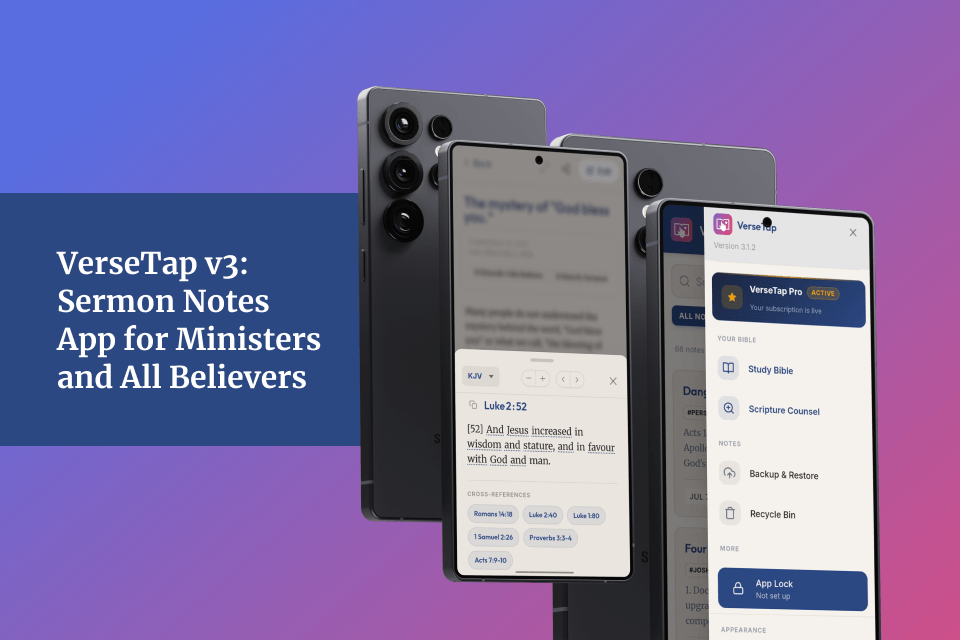

Published: July 2026 | By Simeon Taiwo Oluwafimijoba, Founder of VerseTap
Ministers carry a lot between Sundays. The notes from last year’s teaching series. The cross-reference you scribbled at the back of your journal during prayer. The verse that cracked open a message you had been building for months. Too often, those things live in scattered places and do not survive a phone change or a reinstall.
VerseTap was built on one conviction: there are too many tools standing between a minister and the Word. This sermon notes app exists to reduce that distance, not add to it. Version 3 is the fullest expression of that mission to date, and it is live right now on Android and iOS.
Here is everything that shipped across v3.0.0 through v3.1.2, and what each piece means for how you study, prepare, and preach.
Table of Contents
VerseTap Pro Is Now Live
The thing many of you have been asking about is here. VerseTap Pro launched with v3.0.0 and is live and stable as of v3.1.2 on both the Play Store and App Store.
Pro is available at two price points:
- $3.99 per month, billed monthly
- $24.99 per year, billed annually (saving over 47%)
Both tiers unlock the same full Pro entitlement, managed through RevenueCat. Your subscription is tied to your account, not your phone.
What Pro unlocks right now:
- Unlimited Scripture Counsel AI searches. Free users receive 25 AI searches per month across Scripture Counsel and Semantic Bible Search combined. Search the Bible based on life situations, faith matters and topics. Get instant curated passages that speak directly to it. Ministers deep in a teaching series, working through multi-week thematic study, or preparing for a conference will exceed that. Pro removes the limit entirely.
- Unlimited Semantic Bible Search. Type a topic or paraphrase into BibleBrowser and VerseTap finds relevant passages even when you cannot recall the exact wording. Queries of one to three words go straight to AI. Queries of four or more words run a verbatim search first, then surface AI suggestions beneath the results. This is already live and gated by the same 25-search monthly pool on the free tier.
- Push-on-save Drive backup. Covered in full below.
- Early access to upcoming premium features, including AI Tag Suggestions, currently in development.
The free tier has not been touched. Every core feature of VerseTap remains free permanently: the offline Bible browser, automatic detection of scripture references, Strong’s Concordance word study, rich-text note creation, tagging, Google Drive backup, the Recycle Bin, and five AI searches per month through Scripture Counsel. Pro rewards depth, not access.
Support tiers also launched alongside Pro: one-time contributions of $2.99, $4.99, or $9.99 for those who want to support the work without committing to a subscription. These are positioned as ministry partnership gifts. They do not affect your VerseTap Pro entitlement in either direction.
Scripture Cross-References Built Into Your Sermon Notes App
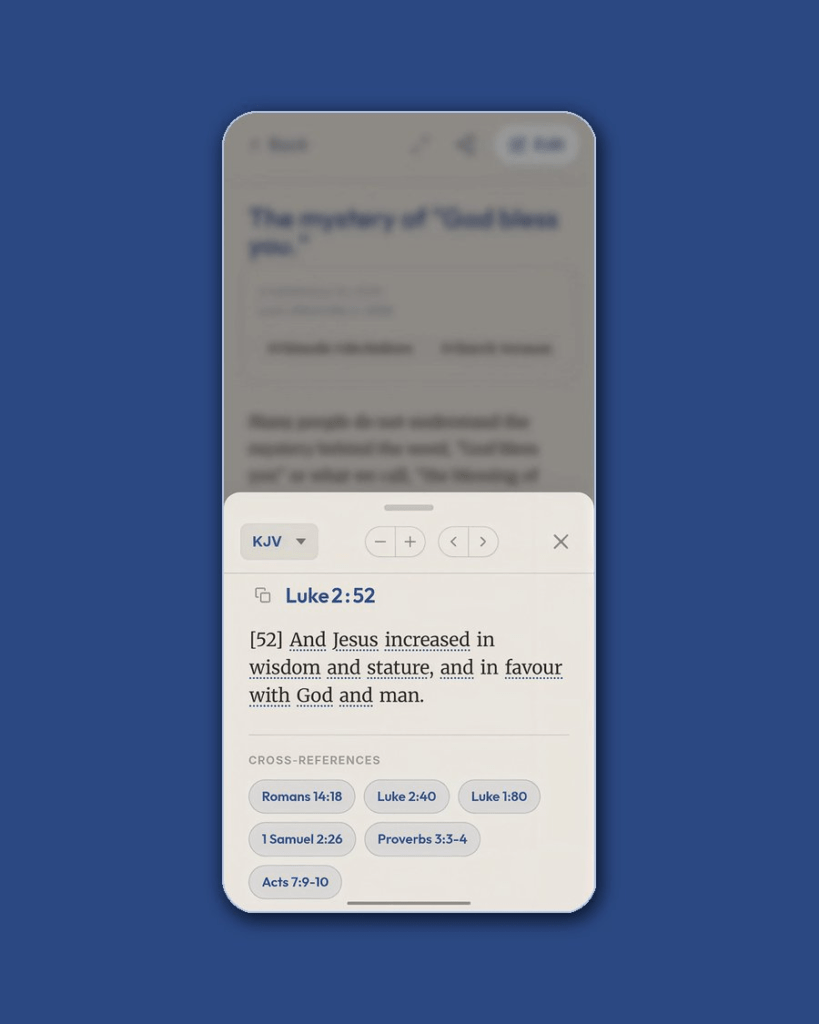
This is the feature that changes how you study. Every verse you look up in VerseTap now shows scripture cross-references directly below the passage.
These references are drawn from the Treasury of Scripture Knowledge (TSK), a reference work first compiled in the 19th century, containing over 341,000 cross-reference connections across the entire Bible. Ministers and scholars have relied on it for generations. The cross-reference data used in VerseTap is sourced from OpenBible.info, published under Creative Commons.
The top four to six cross-references for any single verse appear as tappable chips beneath the text in VerseSheet. Tap any chip and the referenced passage opens immediately. A back pill at the top of the new passage returns you to where you started.
This entire feature is free. It does not require a Pro subscription.
The data lives in 66 JSON files stored locally on your device, one per book of the Bible. There is no network call. No loading spinner. No cost per lookup. It works in a remote village, on a long flight, during a power outage. Every verse, immediately contextualized by Scripture itself.
This is what separates a purpose-built Bible study and sermon notes app from a generic notes tool. Evernote does not know that Hebrews 11:1 resonates with Romans 8:24. VerseTap does.
Your Pro Status Follows You Across Devices
One of the most common frustrations with premium apps is paying for a subscription on one device and finding it unrecognized on another. VerseTap v3.1.0 fixed this permanently.
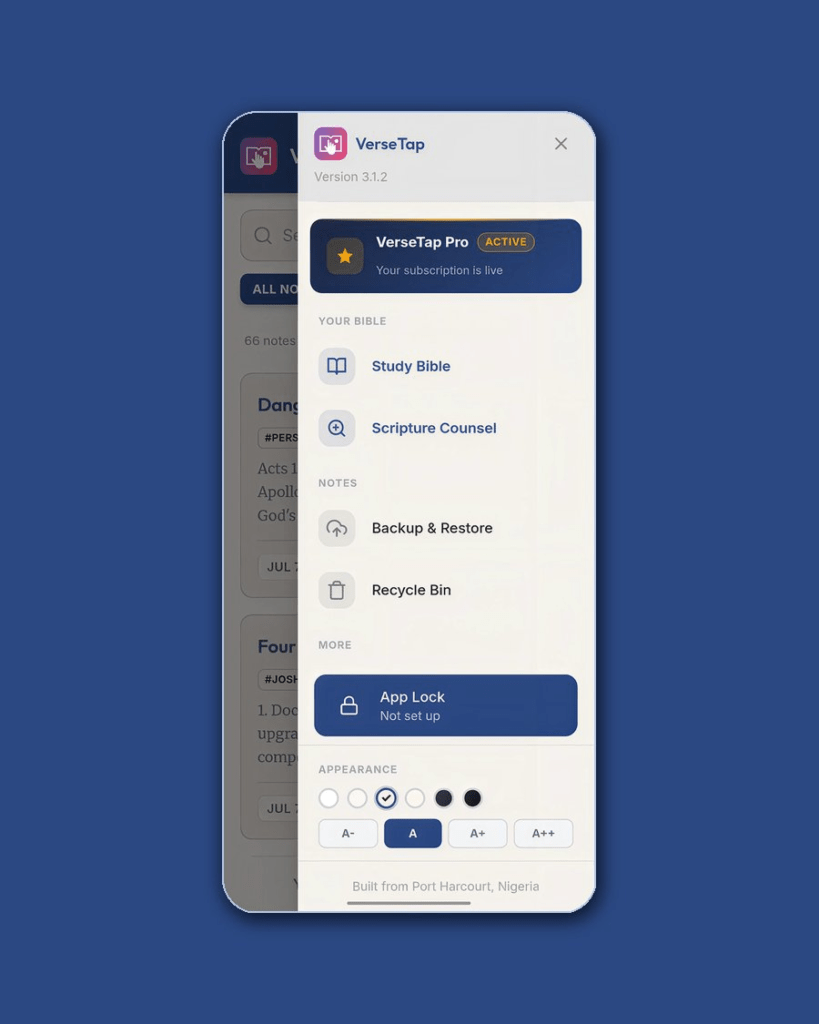
After purchasing, VerseTap guides you through registering your email address. That email becomes the anchor for your Pro entitlement. On any new device, open the side menu, tap “Link Account,” enter the same email, and your Pro status activates immediately.
The registration step is not optional, and that is intentional. After a purchase, a post-purchase screen guides you through email registration before you can proceed. Without an email anchor, your subscription stays on the purchasing device and disappears on reinstall or transfer.
The system uses RevenueCat’s Login API paired with a Supabase identity layer. When your email is registered, VerseTap creates a stable account identifier that links your purchases across devices and platforms simultaneously. Android and iOS share the same identity system.
Your Pro follows you. Not your device.
For users who already subscribed before v3.1.0, the “Link Account” option in the side menu allows you to connect your existing subscription to your email retroactively.
Notes That Save Themselves With Push-on-Save
Every minister has been through this. An hour of editing. The app closes. You open it and the last paragraph is gone.
Push-on-save, introduced in v3.1.2, prevents this for Pro users. Every time you stop typing for four seconds, VerseTap silently pushes your current note to Google Drive in the background. No button press. No manual backup step. The note uploads quietly between keystrokes.
The four-second debounce means that rapid typing does not trigger a stream of uploads. Instead, VerseTap waits for a natural pause and sends one clean version of your work. Errors are handled internally. A failed upload never interrupts your writing session or surfaces a notification.
Push-on-save is available on native Android and iOS only. It requires an active Google Drive connection and a VerseTap Pro subscription. It is Pro because it generates real Google Drive API activity proportional to how actively you write. Cross-references cost nothing to deliver because they are local. Drive uploads have a real infrastructure cost, and the Pro tier is what makes that sustainable.
A More Reliable App Under the Hood
Several critical reliability improvements shipped across the v3 release cycle. These do not appear on a marketing page, but they are the difference between an app you trust and one you are nervous to rely on.
Sync data integrity received a significant overhaul in v3.1.2. A timing-gap guard now re-reads your local note content immediately before writing any downloaded version from Google Drive. If you edited a note while a sync was running in the background, your local version takes priority. The sync does not overwrite your active work.
Tombstone logic, which prevents deleted notes from reappearing after a sync, was extended with fail-closed behavior. If the system cannot fully determine which notes have been deleted, it aborts rather than proceeding with incomplete information.
BibleBrowser back navigation was rebuilt in v3.1.2. Previously, the hardware back button or swipe gesture could close the Bible browser entirely instead of stepping back through internal views. The fix unifies hardware back, swipe gesture, and the in-app back button into a single delegation system. Back now correctly steps through search results, chapter view, and book picker in sequence before closing the browser.
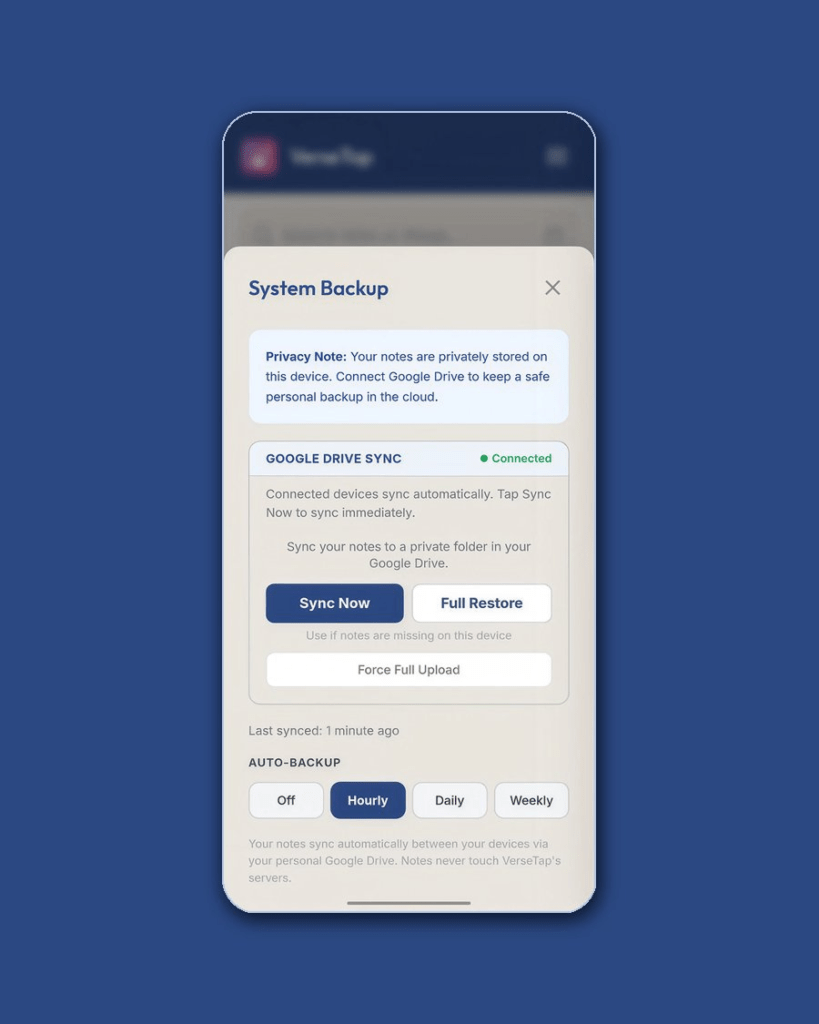
The Recycle Bin received a visual redesign. Cards are cleaner, action buttons use pill styling, and modal backgrounds are theme-aware across all six VerseTap themes. The Drive Connected indicator now appears in the System Backup modal so you can see sync status at a glance before initiating a backup.
These are the kinds of fixes that make a product feel finished. They compound into trust.
Now on Android and iOS, Live Globally
VerseTap has crossed 1,000 downloads across 40+ countries on the Play Store. The App Store listing (App Store ID: 6776201273) is live globally as of 2026.
Every feature in v3.1.2 ships on both platforms. Same version. Same codebase. Same Pro entitlement system. Android and iPhone users in the same pastoral team can work side by side, backed up to their own Google Drives, with subscriptions linked to shared email credentials.
VerseTap is also available as a Progressive Web App at versetap.app for any device with a browser. The PWA supports note creation, Bible lookup, and Drive backup. Pro features that depend on native payment infrastructure (subscriptions, push-on-save) require the Android or iOS app.
What Comes Next
The next major features in development for VerseTap:
AI Tag Suggestions will read your note after you finish writing and suggest relevant tags automatically. A note about faith under pressure should surface Hebrews, not just be filed under “Sunday.”
Church Licensing is coming in 2027. Bulk access for pastoral and teaching staff, with custom onboarding, a church landing page, and direct support. If you lead a ministry team and want to be among the first to explore church access, reach out at versetap.ng.
Frequently Asked Questions
What does VerseTap Pro include? VerseTap Pro unlocks unlimited Scripture Counsel AI searches and unlimited Semantic Bible Search (free users share a pool of 25 AI searches per month across both), push-on-save automatic Drive backup, and early access to upcoming premium features. Pro is $3.99/month or $24.99/year.
Does VerseTap work offline? Yes. VerseTap embeds the full KJV, ASV, WEB, and YLT translations, covering 124,408 verses total. Scripture cross-references load from 66 local JSON files with no network request. Strong’s Concordance, with 5,523 Greek entries and 8,674 Hebrew entries, works entirely offline. The core sermon notes workflow requires no internet connection.
Does VerseTap store my notes on its servers? No. Your notes live on your device and, if you connect Google Drive, in your own Google Drive storage. VerseTap servers never access your note content. This is a founding commitment and will not change.
Is VerseTap available for iPhone? Yes. VerseTap is live on the App Store globally. Search “VerseTap” or visit the App Store directly using App Store ID 6776201273. Every feature in v3.1.2 is available on iOS, including Pro subscriptions and cross-device account linking.
What Bible translations does VerseTap include? VerseTap includes four complete translations embedded offline: King James Version (KJV), American Standard Version (ASV), World English Bible (WEB), and Young’s Literal Translation (YLT). All four are public domain and fully stored on your device. The WEB is a modern, readable translation suitable for contemporary Bible study and message preparation.
How do I connect my Pro subscription to a new device? Open the VerseTap side menu on your new device and tap “Link Account.” Enter the email address you used when you first purchased Pro. Your entitlement will activate on that device immediately.
Can I use VerseTap without paying? Yes. The core product is permanently free: offline Bible access, automatic scripture reference detection, rich-text notes, tagging, Google Drive backup, word study, the Recycle Bin, and five AI scripture searches per month. You can take notes and study indefinitely without a subscription.
VerseTap v3 is not a finish line. It is the infrastructure for what ministers deserve in a Bible study and sermon notes tool: private, offline-first, scripture-aware, and built to grow with you.
Download VerseTap for Android on the Play Store, or for iPhone on the App Store. Try it free on the web at versetap.app. Your notes stay yours. Backed up to your Google Drive, never on our servers.
Tap the Verse. Feel the Life.
Author Bio
Simeon Taiwo Oluwafimijoba is the founder of VerseTap and a minister and church administrator at Clarylife Global, Port Harcourt, Nigeria. He built VerseTap to solve a problem he faced personally: too many tools standing between a minister and the Word. Simeon holds certifications in Brand Management from the University of London and AI Product Management from Duke University.