
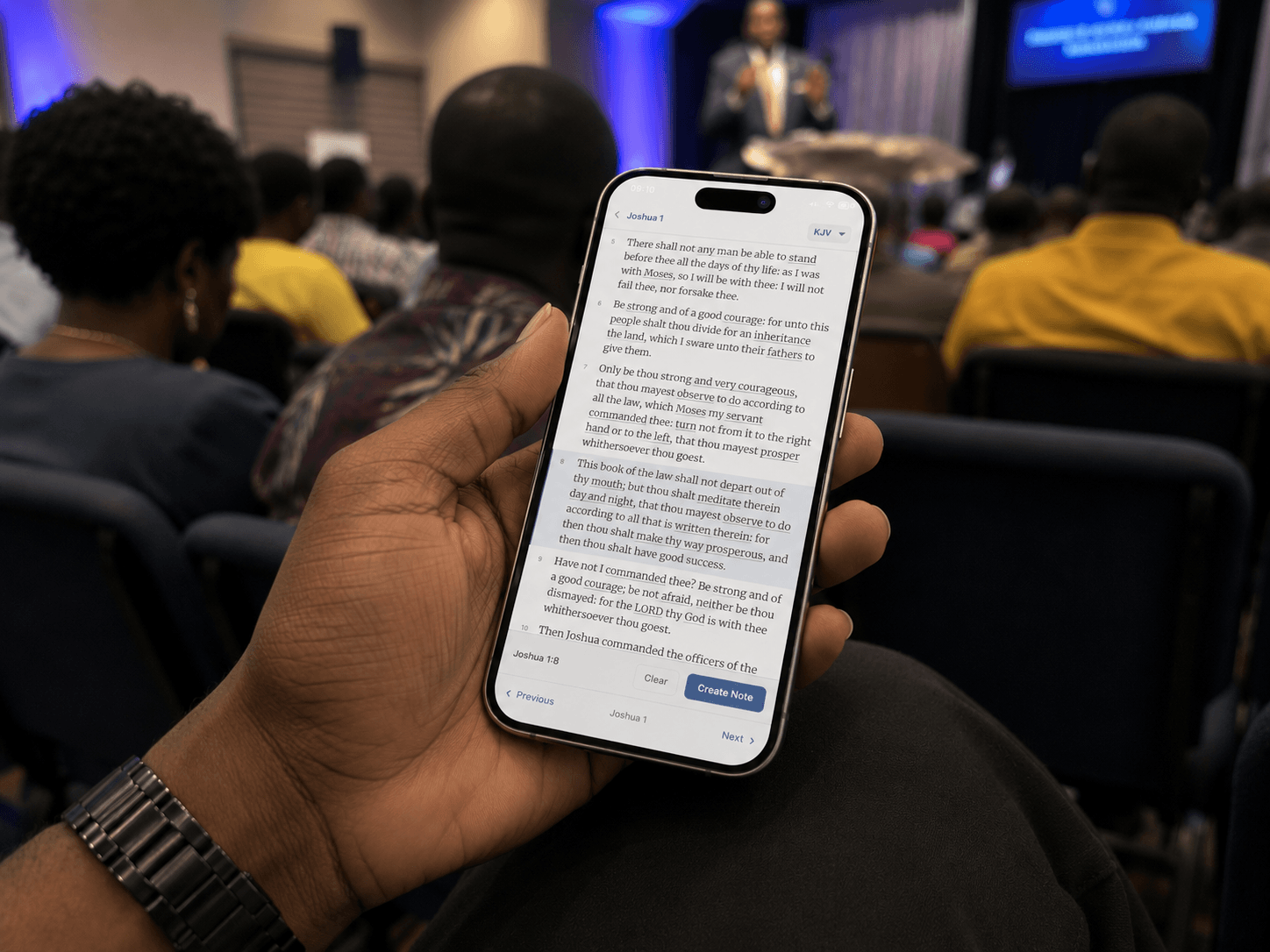

What started as an AI Sermon Note App has gradually evolved to become a fully offline Bible Study app. Now, here’s the story of the transition.
Table of Contents
Most Bible apps assume you opened them to write something down. VerseTap used to assume that too. For a long time, the only way in was a button that said “Create New Sermon.” If you weren’t prepping a message, the app didn’t really know what to do with you.
That’s a real gap for anyone who treats Bible study as more than sermon prep, which is most serious students of scripture, most of the time. So VerseTap added a second way in: a full offline Bible study app mode, plus a Strong’s Concordance for word study, both built directly into the app, both working with zero internet connection.
Here’s what changed, why it changed, and what it actually does.
When “Create a Sermon” Is the Only Button, You’ve Already Picked Your User
I teach the Bible. A lot of my time in scripture has nothing to do with preparing a message. I just want to study, sit with a passage, and let it work on me before I try to explain it to anyone else. Opening VerseTap and seeing one button, “Create New Sermon,” didn’t fit that. It made the app feel like a tool for output, not input. Like it only mattered once I had something to say.
That’s the gap VerseTap’s new Bible Study mode closes. Open the app, tap straight into the Bible, pick a book and chapter, and read. No empty note waiting to be filled. No pressure to produce anything. Just the text, full screen, exactly as offline as everything else in the app.
This matters more than it sounds like it should. A note-taking app that only opens to a blank note is quietly telling a whole category of users, the ones who read and reflect without writing, that they’re not really who it’s for. VerseTap is built for pastors, teachers, and serious students of the Word. Reading is part of that. It needed its own front door.
What Happens When the Preacher Skips the Title and Just Says “Turn To…”
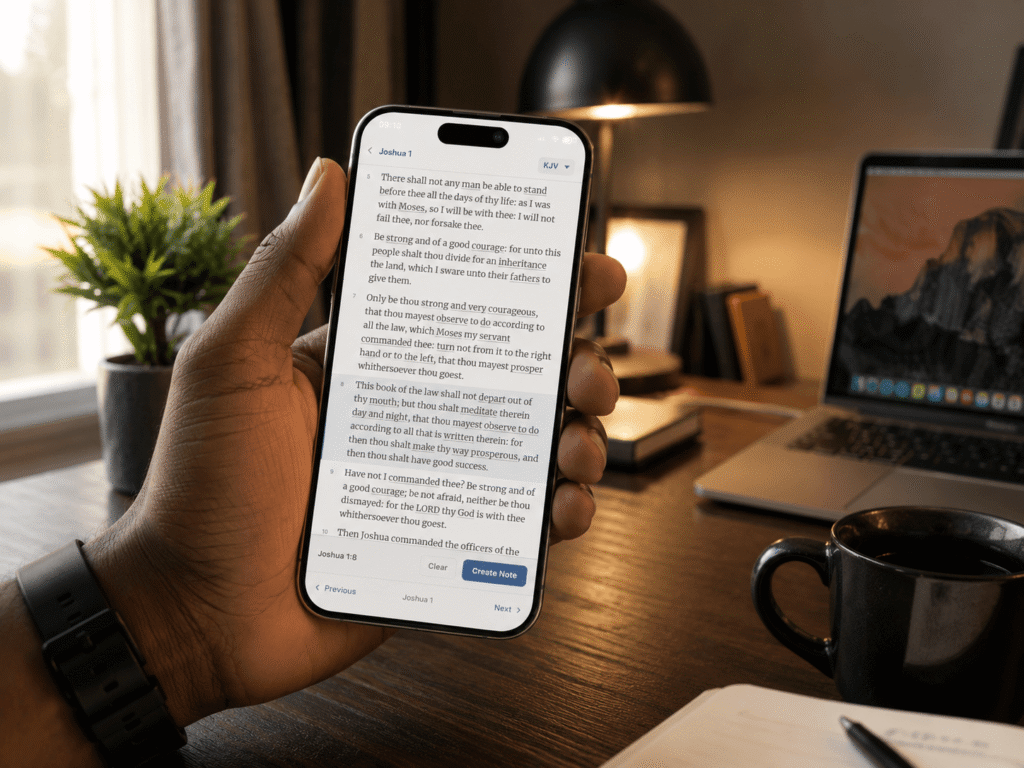
You know the moment if you’ve sat in a service for more than a few weeks. The pastor doesn’t open with a sermon title or put a verse on the screen. They just say, “turn to Psalm 92, verse 5,” and start preaching. If you’re a congregant trying to follow along, you need somewhere to land that isn’t a blank note.
VerseTap’s Bible Study mode is built for exactly that moment. You open straight to the passage, follow the message as it unfolds, and when the preacher draws out something worth keeping, a single tap takes you from the open Bible into a new note, already connected to the verse you were just reading. No app switching. No losing your place while you go searching for a notes app and then searching again for the verse.
It’s a small sequence. Open Bible, follow along, tap to note. But it’s the actual shape of how most people experience a sermon, and an app built only around sermon preparation was never going to serve the person sitting in the pew the same way.
Why an Offline Bible Study App Needs a Concordance, Not Just a Bible
A Bible study app that only displays English text is half a tool. The other half is knowing what the original words actually said, because English sometimes flattens distinctions that mattered to the writer.
The clearest example of this is in John 21. Jesus asks Peter the same question three times: do you love me? In English, it reads as one question, repeated. In Greek, it isn’t. Twice, Jesus uses agape, a deeper, committed love. Peter answers both times with phileo, the love of friendship and affection. The third time, Jesus shifts to Peter’s own word, phileo, and Peter is grieved. None of that shows up if you only ever read the English translation. You’d never know the question changed.
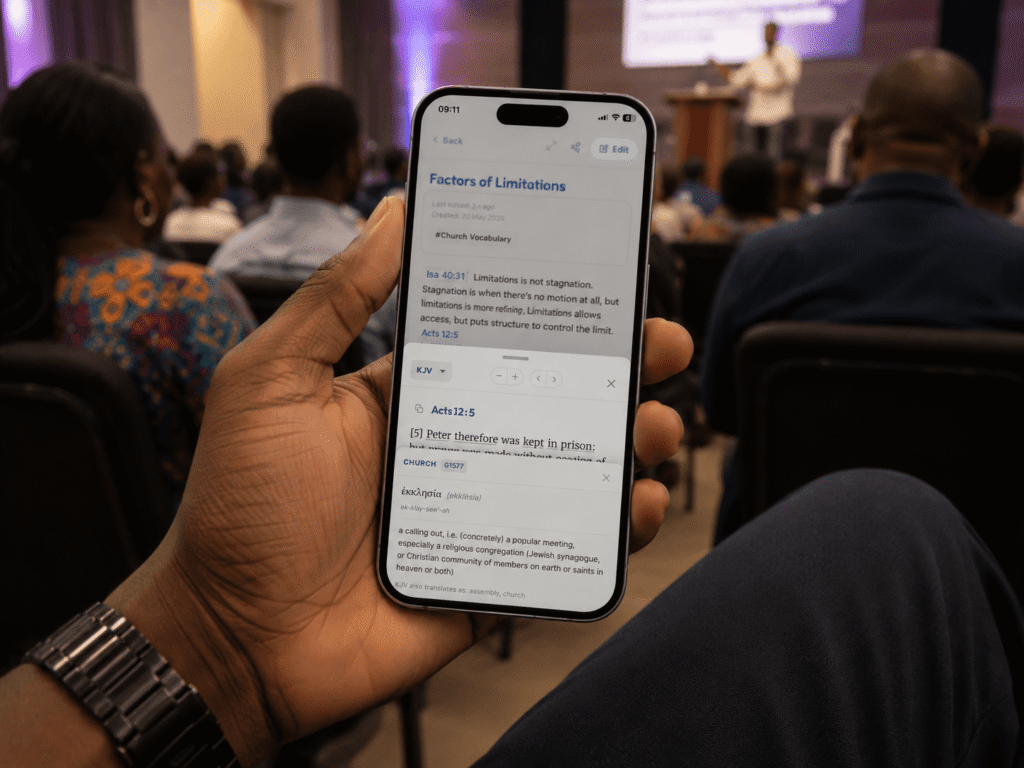
VerseTap’s Strong’s Concordance puts that information one tap away. Any underlined word in the King James Version opens a panel with the original Greek or Hebrew word, how it’s pronounced, what it means, and where else in the KJV that same word gets translated. It draws from a built-in dataset of 5,523 Greek entries and 8,674 Hebrew entries, mapped across more than 31,000 verses. No web search, no switching to another app, no internet connection required.
This is the same tool, by the way, that’s been available inside individual notes since earlier this year. It’s now built into the full Bible reading experience too, so word study isn’t something you only get when you’re already taking notes. It’s there whenever you’re reading.
How It Works Without Wi-Fi
Everything described above works the same on a plane, in a village with no signal, or during a power outage, and it works the same whether you’re on Android, iOS, or the web. VerseTap ships with four complete public domain Bible translations stored directly on your device: the King James Version, the American Standard Version, the World English Bible, and Young’s Literal Translation. You can read any of them with zero connection, and your notes stay backed up to your own Google Drive, never on VerseTap’s servers.
One honest limit, worth stating plainly: word study currently lights up on the King James Version only, since that’s the translation VerseTap’s lexical data is mapped to. Read the other three translations and the Bible text is fully offline, but the tap-to-study panel won’t appear yet. That’s the current state. An offline Bible study app should be straightforward about what it does and doesn’t do, not just what’s coming.
Where This Fits If You’re Already Using a Notes App
If you currently use something like Evernote or Notion for sermon prep, they’re capable tools, but they weren’t built to understand scripture. They don’t know that “John 3:16” is a Bible reference, and they can’t show you what the original word for love was in a given verse. They also need an internet connection for almost everything.
VerseTap was built specifically to close that gap, and the gap was always wider than note-taking. Reading scripture, following along live in a service, and studying a word in its original language are all part of how people actually engage the Bible. An app meant to support that needed to handle all three, not just the part where you write something down.
Frequently Asked Questions
Does VerseTap’s Bible Study mode work offline? Yes. All four built-in translations, KJV, ASV, WEB, and YLT, are stored on your device and open without an internet connection, on Android, iOS, or the web.
Which translations support Strong’s Concordance word study? Currently the King James Version only. Tap any underlined word in the KJV to see its original Greek or Hebrew meaning, pronunciation, and definition.
Is VerseTap free? Yes. VerseTap is free on Android and on the web at versetap.ng, with no subscription required for Bible reading, word study, or sermon note-taking.
Does this replace my notes app or sermon prep workflow? No. It adds to it. Create New Sermon still works exactly as before. Bible Study mode is a second way into the app for reading, following along, and studying, with a direct path into note-taking whenever something is worth keeping.
VerseTap was built to organize sermon notes. It still does that. But scripture study was never only about writing things down, and the app needed a way in that didn’t assume you were always prepping something. Now it has one: a full offline Bible, a place to land mid-service when there’s no title or verse on the screen yet, and a concordance that shows you what the original words actually said.
Try the new Bible Study mode and Strong’s Concordance free on Android, iPhone, or at versetap.ng. No account required to start reading.
Simeon Taiwo Oluwafimijoba is a Bible teacher, church administrator, and the founder of VerseTap, an offline Bible study and sermon note app built in Port Harcourt, Nigeria. He holds certifications in Brand Management from the University of London and AI Product Management from Duke University.